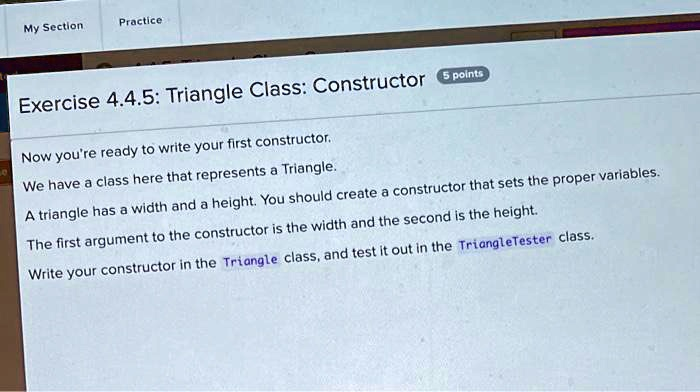
Triangle Class: Constructor 5 points Now you’re ready to write your first constructor. We have a class here that represents a Triangle. A triangle has a width and a height. You should create a constructor that sets the proper variables. The first argument to the constructor is the width and the second is the height. Write your constructor in the Triangle class, and test it out in the TriangleTester class.
The Correct Answer and Explanation is:
Of course. Based on the programming exercise described in the image, here is the correct code written in Java, followed by a detailed explanation.
Correct Answer
Triangle.javaGenerated java
public class Triangle {
    private double width;
    private double height;

    // Constructor to initialize the width and height of the Triangle
    public Triangle(double newWidth, double newHeight) {
        this.width = newWidth;
        this.height = newHeight;
    }

    // Getter method for width (useful for testing)
    public double getWidth() {
        return width;
    }

    // Getter method for height (useful for testing)
    public double getHeight() {
        return height;
    }
}
content_copydownloadUse code with caution.Java
TriangleTester.javaGenerated java
public class TriangleTester {
    public static void main(String[] args) {
        // Create a new Triangle object using the constructor
        // The first argument (10.0) is the width
        // The second argument (5.0) is the height
        Triangle myTriangle = new Triangle(10.0, 5.0);

        // Test the constructor by printing the values
        // We use the getter methods to access the object's properties
        System.out.println("Triangle created successfully.");
        System.out.println("Width: " + myTriangle.getWidth());
        System.out.println("Height: " + myTriangle.getHeight());
    }
}
content_copydownloadUse code with caution.Java
Explanation
This solution fulfills the exercise requirements by creating a constructor for the Triangle class and then testing it within the TriangleTester class.
In object-oriented programming, a constructor is a special method used to initialize a new object. Its primary job is to set the initial values for the object’s instance variables. The code for the Triangle.java file defines the blueprint for any Triangle object. Inside this class, we first declare two private instance variables, width and height. Making them private is a core concept called encapsulation, which protects the data from being changed accidentally from outside the class.
The key part of the solution is the constructor itself: public Triangle(double newWidth, double newHeight). A constructor in Java always has the same name as the class and does not have a return type. This one is public, so it can be called from other classes, like TriangleTester. It accepts two arguments: a width and a height. Inside the constructor, the lines this.width = newWidth; and this.height = newHeight; perform the initialization. The this keyword is a reference to the current object being created. It distinguishes the instance variables (this.width) from the parameters passed into the constructor (newWidth).
The TriangleTester.java file is used to verify that our constructor works as intended. Inside its main method, the line Triangle myTriangle = new Triangle(10.0, 5.0); creates a new instance of the Triangle class. This statement calls the constructor we wrote, passing 10.0 for the width and 5.0 for the height. To confirm the object was created correctly, we print its properties to the console using getter methods (getWidth() and getHeight()), which safely retrieve the private variable values.